
A technique known as cloud computing has been developed to convert a corporation into digital form. The long-standing practice of using traditional on-premises IT solutions has stopped in some markets or industries, and businesses are now implementing models like SaaS.
While PaaS offers a development platform where apps may be created and launched, SaaS, or Software as a Service, offers ready-to-use or pre-built software. In addition, CaaS offers container-based solutions and IaaS offers infrastructure services. Each model’s function is determined by business requirements and IT management accountability.
What is SaaS? Key Features and Benefits
SaaS sales refers to the process in which web-based software is digitally sold, which customers or visitors access and use through an online portal. SaaS stands for Software as a Service, which businesses and industries use to solve their pain points or problems.

SaaS’s modern key features include subscription-based pricing, automatic updates, scalability, and remote accessibility. This model enhances collaboration and allows teams to work securely from any device. The benefits include cost efficiency, reduced IT workload, and fast deployment. For this reason, SaaS is an ideal choice for startups to enterprises for fast growth.
Cloud Hosting and Multitenant Architecture
Software as a Service, or SaaS, works on cloud computing, which means that data and applications are hosted on distant servers, i.e., online internet server platforms, instead of local devices, i.e., common devices. A software architecture known as multitenant architecture, which enables a single instance of an application to serve several users at the same time, is used by the majority of SaaS operating systems. Although the infrastructure is shared, the data of each tenant is kept separate, allowing for centralised control and affordable improvements.

2. Access via Web Browser or Device
Internet-enabled, i.e., internet-accessed devices, for example desktops, laptops, tablets, and smartphones, can easily access SaaS, i.e., Software as a Service apps. Through the software or application, users can log in directly. Real-time collaboration is possible because several users can collaborate on the same platform from different locations.
3. Advantages: No Local Installation, Flexibility, and Mobility
SaaS (Software as a Service) does not require local installation because it is cloud-based. Employees can use it and access it from anywhere, giving businesses the advantage of scaling usage and mobility. Updates and maintenance are handled by the provider, ensuring that users always receive the latest security and features.
4. Scalability and Subscription Management
Most SaaS solutions operate on subscription-based pricing, i.e., a paid pricing method, where businesses or companies pay per user or per feature. This model is scalable, making it easy to add extra modules, upgrade plans, or add/remove users. Centralized subscription management simplifies budgeting and saves unnecessary upfront costs.
SaaS vs PaaS: Core Differences Explained
SaaS (Software as a Service) and PaaS (Platform as a Service) are both powerful cloud computing service models in today’s AI-driven era, but they differ in purpose, usage, and target users.
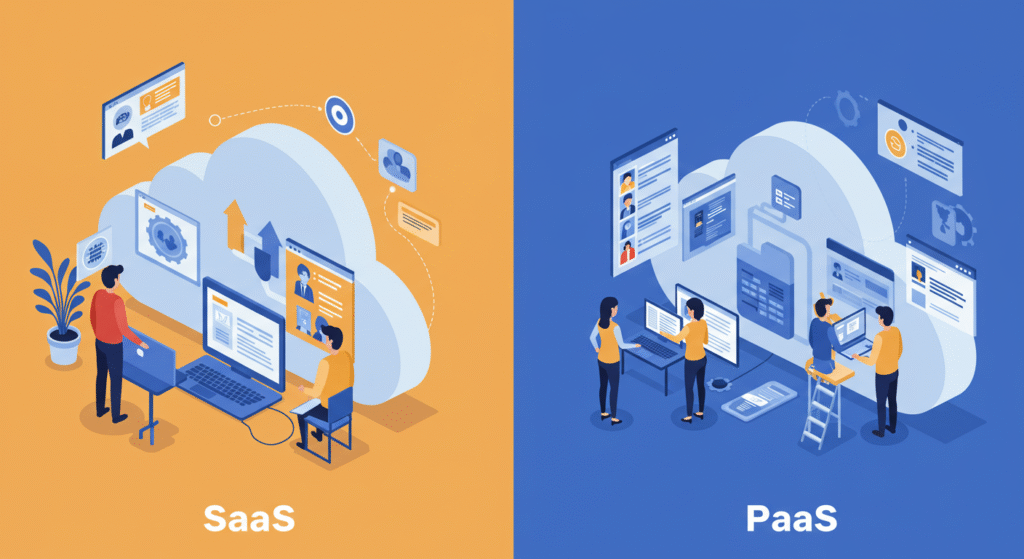
SaaS refers to web-based software that is digitally delivered, which customers or visitors can access via an online portal. Popular examples include Google Workspace and Microsoft 365. SaaS is ideal for end-users who need ready-to-use applications without managing infrastructure.
PaaS, on the other hand, provides developers with a complete environment to build, test, and deploy applications. Examples include Heroku and Microsoft Azure App Service. PaaS is best for developers looking to innovate and scale applications efficiently.
Typical Use Cases for SaaS
Software as a Service (SaaS) solutions give companies scalable and adaptable tools. In business management and operations, accounting, CRM, HR, and ERP software are used for many tasks and also used to automate (solve) and streamline (monitor) tasks for companies, industries, or sectors.
Microsoft Teams, chat apps, and video conferencing platforms allow teams to work remotely and collaborate in real time. Real-time reporting and predictive analytics, examples of data analytics and business intelligence tools, help businesses monitor performance and make informed decisions. SaaS’s subscription-based business model is affordable and allows for speedy deployment.
Future Trends in SaaS
Because AI and machine learning improve most of the working procedures like automation and predictive analytics, the SaaS sector is changing most quickly. Low-code and no-code development platforms enable non-technical individuals to create apps, which promotes creativity. SaaS providers are guaranteed to protect sensitive data through compliance and stricter security laws. The needs of businesses are the focus of mobile-first development, API integrations, vertical SaaS, and micro-SaaS. A dynamic SaaS future is being shaped by organizations’ access to flexible and affordable solutions through changing pricing models and market expansion.
Conclusion
SaaS offers businesses flexible, scalable, and cost-effective solutions. With cloud-based tools, AI integration, and evolving trends, organizations can innovate and grow efficiently.